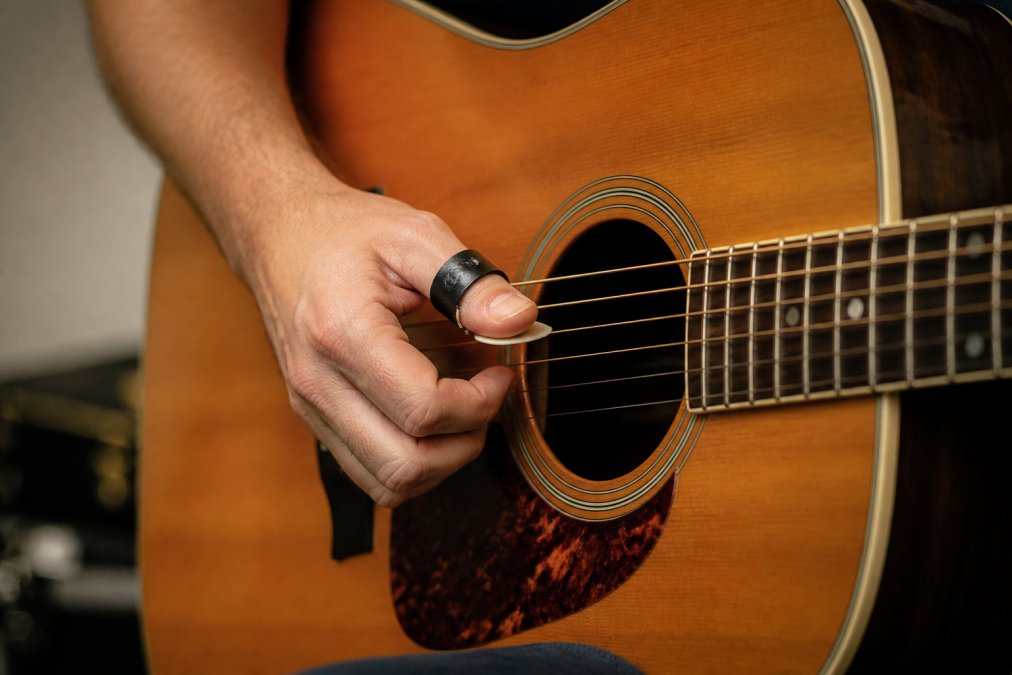
 how-to
How to Secure Thumb Picks During Performance
Table of Contents
- Why Thumb Picks Slip During Performances
- How to Fit a Thumb Pick Correctly
- Preventing Thumb Pick Slippage: Grip and Technique Adjustments
- Sweat and Humidity Management for Secure Thumb Picks
- Crossover Thumb Pick Benefits for Live Performance
- DIY Modifications and Maintenance for Thumb Picks
- Conclusion
- Frequently Asked Questions
Last Updated: September 21, 2026
Why Thumb Picks Slip During Performances
Learning how to secure thumb picks during performance starts with understanding why they move in the first place. Most slippage comes down to three things: a poor fit, sweat, and the angle of your thumb as it strikes the string.
A thumb pick that spins or slides mid-song breaks your timing. You lose the groove, and your right hand tenses up trying to compensate.
Here's what most players miss: the pick isn't usually the problem. The fit is.
Thumb picks come in fixed sizes, but thumbs don't.
Guitar World's guide to thumb pick technique
How to Fit a Thumb Pick Correctly
A correctly fitted thumb pick sits at the base and above the first knuckle of your thumb. Again, just past the knuckle, with firm but comfortable pressure. If you can shake your hand and the pick stays put, the fit is right.
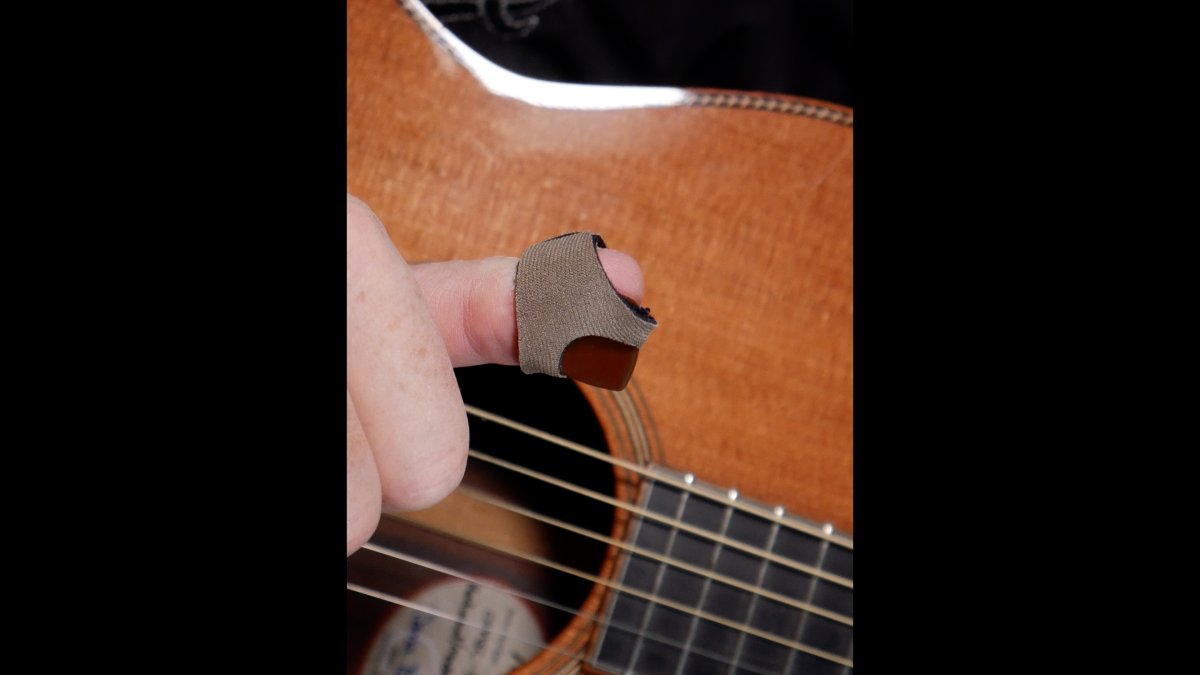
Guitarist fitting one of their secure thumb picks onto their thumb near the guitar neck
To fit a thumb pick properly:
- Slide the pick over your thumb until it rests near the base just above the first knuckle
- Check that the blade lays toward your index finger
- Flex your thumb and confirm the strap doesn't pinch
- Shake your hand gently to test hold
Preventing Thumb Pick Slippage: Grip and Technique Adjustments
Preventing thumb pick slippage is less about how hard you clamp down and more about how your right hand moves through the string. A pick rotates because something is applying torque to it. Understand the torque source, and the slip can be eliminated.
Three forces rotate a thumb pick mid-song:
- String drag. The blade catches the string and the string pulls the pick in the direction of the stroke.
- Wrist rotation. A stiff wrist rotates the whole forearm, and that rotation transfers straight into the pick.
- Thumb extension. Reaching for a bass note or a wide interval pulls the thumb out of the strap's sweet spot.
Match the Stroke to the Pick
Players who dig in hard with a rigid wrist create the most rotational force. The fix is not to play softer, it is to change where the motion comes from.
- Let the wrist lead, not the elbow. Elbow-driven strumming rotates the forearm and spins the pick. Wrist-driven motion keeps the thumb relatively still.
- Angle the blade 10 to 15 degrees. A slight tilt lets the blade glance off the string instead of catching it square. Less catch means less drag, and less drag means less rotation.
- Use the pad of the thumb, not the tip. More skin contact equals more friction. Players who wear the pick out near the tip lose that contact patch.
- Lighten the attack and let the amp work. If you are fighting the pick to get volume, the pick is losing.
Combine Right-Hand Techniques Instead of Switching Tools
The deeper fix is to stop treating fingerstyle and flat-picking as two separate hands. When you can blend them in the same phrase, your right hand stays relaxed and the pick stays seated.
Stop the Death Grip
A common mistake is gripping harder the moment a pick starts to move. That makes it worse. Extra pressure tires the hand, pushes the pick further out of position, and travels up the forearm.
A Two-Minute Pre-Show Check
Before you play, run this sequence:
- Seat the pick at the base of the thumb, just past the knuckle.
- Shake your hand gently. If the pick moves, tighten the strap or re-seat it.
- Play one bar of your hardest strumming passage.
- Play one bar of fingerstyle.
- Check the pick position. If it shifted, the strap tension is wrong, not your technique.
If the pick survives both passages without moving, your grip and your technique are working together. If it does not, adjust the strap before you adjust your hand.
Sweat and Humidity Management for Secure Thumb Picks
Sweat is the quiet killer of grip stability for plastic picks. Even a well-fitted pick loses friction once your thumb gets slick.
A few practical fixes:
- Wipe your thumb and the pick between songs with a dry cloth
- Keep a small towel on your amp or pedalboard
- Use a light dusting of rosin or grip powder on your thumb
- Choose picks with textured or matte inner surfaces
Crossover Thumb Pick Benefits for Live Performance
Crossover thumb picks are a newer category designed to solve the fit and transition problems at once. At Strum-N-Comfort, we coined this category name.
Buy Now at our secure ETSY SHOP music store →
DIY Modifications and Maintenance for Thumb Picks
Small tweaks keep a thumb pick working for months instead of weeks. Maintenance is the part most guides skip, and it is where you win the longevity game.
Heat-Molding plastic thumb picks for a Custom Fit
Most plastic thumb picks can be reshaped with heat. The trick is controlling the temperature and the cooling time.
- Heat water to just below boiling, hot enough that you would not hold your hand in it, but not a rolling boil.
- Submerge the pick for 20 to 30 seconds. Do not walk away; plastic goes from pliable to ruined fast.
- Lift the pick out with tongs and press it onto your thumb, holding it at the base just past the knuckle.
- Hold for 30 to 60 seconds while it cools. The plastic sets in the shape it cools in.
- Test the fit. If it is still loose, repeat once. Repeated heating weakens the material, so stop after two or three cycles.
Restoring Tension After the Strap Stretches
Every plastic thumb pick stretches over time. The plastic relaxes, the band opens up, and the pick starts to rotate again. You can bring some of that tension back.
- Gentle squeeze. Warm the strap slightly, then squeeze it narrower with your fingers. Hold until cool.
- Avoid sharp bends. Bending the strap at a hard angle creates a stress point that cracks later.
- Know when to stop. Once a strap has stretched past a certain point, squeezing only buys a few songs. That is the signal to replace the pick or move to a fully adjustable strap system.
Grip Additions That Do Not Damage the Pick
- Adhesive tape. A thin strip of medical or athletic tape inside the strap adds friction. Test it before a show, some adhesives leave residue that makes the next slip worse.
- Hook-and-loop dots. Small hook-and-loop pads on the inner surface boost hold without adding bulk.
- Rosin or grip powder. A light dusting on the thumb adds tack. Too much turns gummy and collects dust.
Storage and Stage Reliability
Storage matters for stage reliability. Keep spare picks in a pick holder on your mic stand or pedalboard. Losing a pick mid-set is avoidable if you have a backup within reach.
Problem | Quick Fix | Long-Term Solution |
|---|---|---|
Pick rotates on thumb | Reposition to base of thumb | Fully adjustable strap system |
Sweat causes slip | Wipe thumb between songs | Textured inner surface |
Strap stretched out | Warm and squeeze gently | Replace or move to adjustable strap |
Pick cracks | Stop using it | Switch to flexible material |
Lost during gig | Grab spare from holder | Pick holder on stand |
Why Adjustable Beats Fixed
A fixed-size pick will always stretch out eventually. That is physics, not a manufacturing flaw. A fully adjustable thumb strap system sidesteps the whole problem: you tighten or loosen the strap until it matches your thumb, and you reset it whenever it drifts. Both the SharkTooth and Kodiak Crossover Pick models use this system, and the SharkTooth models let you keep using your favorite flat pick with the strap.
Conclusion
Every player fights slippage at some point, and it usually shows up at the worst moment: mid-solo, on stage, with no spare in reach.
Frequently Asked Questions
Why do my thumb picks keep slipping off during performances?
Thumb picks slip for several reasons: incorrect sizing that doesn't match your thumb circumference, sweat and humidity reducing friction between the pick and skin, worn-out plastic resin that has lost its original tension, or improper thumb placement that puts uneven pressure on the pick. Many players also grip too tightly, which causes the thumb to swell slightly and changes the fit mid-song. Addressing these issues with proper fitting and moisture management can help you secure thumb picks reliably during any set.
How do I know if my thumb pick is the right size?
A properly fitted thumb pick should slide on with slight resistance and stay in place when you shake your hand gently. It shouldn't pinch or leave deep marks on your skin. If the pick rotates freely or feels loose, it's too big. If it cuts off circulation or feels painful after a few minutes, it's too small. Measure your thumb circumference at the base of the nail, and check if the pick material can be adjusted with hot water molding for a custom fit.
Can I use adhesive tape to keep my thumb pick from slipping?
Yes, adhesive tape can improve grip stability, but choose skin-safe options like medical-grade paper tape or athletic tape. Apply a small strip to the inside of the pick where it contacts your thumb. Avoid heavy duct tape or tape with harsh adhesives, as these leave residue and can irritate skin during long sets. For a cleaner solution, consider picks with an adjustable thumb strap system that provides secure fitment without adhesive.
What are Crossover thumb picks and how do they improve stability?
Crossover thumb picks are a new category designed to let players switch seamlessly between fingerstyle and flat-picking techniques. Models like the SharkTooth and Kodiak feature a fully adjustable thumb strap system that conforms to your thumb for a secure, comfortable fit. The SharkTooth also lets you use your favorite flat pick with the strap. These picks reduce hand muscle fatigue and help develop a Universal Picking Technique, making them highly effective for both practice and live gigs.