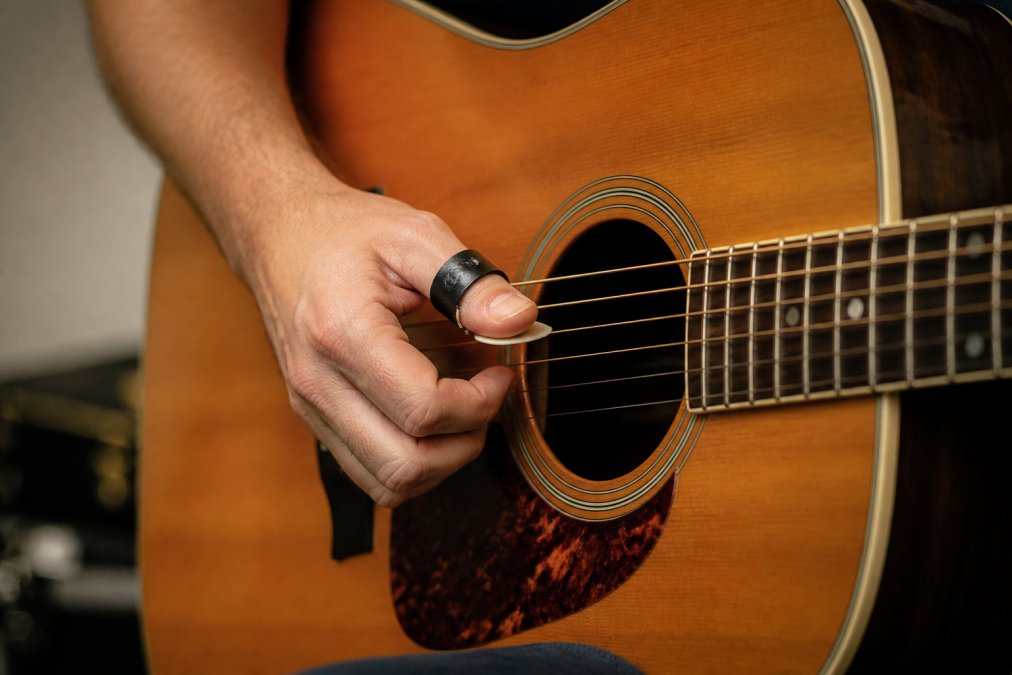
 how-to
Customizing Thumb Picks for Comfort: 7-Step Setup
Table of Contents
- Why Customizing Thumb Picks Changes How You Play
- What You'll Need Before You Start Adjusting
- How to Adjust a Guitar Thumb Pick: Step by Step
- Thumb Pick Slipping Solutions That Actually Hold
- Thumb Pick Versus Flat Pick: What Each One Does to Your Right Hand
- Fingerstyle Guitar With a Thumb Pick: Combining Both Hands' Work
- Troubleshooting Discomfort, Pressure, and Circulation
- A Repeatable Comfort and Performance Test
- Frequently Asked Questions
Last Updated: October 18, 2026
Why Customizing Thumb Picks Changes How You Play
Most players treat thumb picks as a fixed piece of gear. You buy one, force your hand to accept it, and live with the slipping, the pressure, and the dull tone. That approach costs you speed, accuracy, and comfort, especially over long practice sessions or a full live set.
Customizing thumb picks flips the relationship. Instead of adapting your hand to the pick, you shape the pick to your hand. That means choosing the pick material, thickness, adjusting the band fit, the pick angle, and the blade position so your right hand can move freely.
At Strum-N-Comfort, we built a whole category around this idea: Crossover thumb picks. Both the SharkTooth and Kodiak models use a fully adjustable thumb strap system, so fit and feel change with your hand, not against it. The goal is a Universal Picking Technique, where fingerstyle and flat-picking flow from the same hand position.
Below, we walk through a 7-step setup, from measuring your thumb, for a conventional plastic thumb pick, to running a repeatable comfort test.
What You'll Need Before You Start Adjusting
Gather these tools before you touch the pick. A few minutes of prep saves you from over-bending a band or scratching a blade.
- Your thumb pick (or a few sizes to compare)
- Needle-nose pliers
- A small file or fine sandpaper
- Warm water and a towel
- A mirror or phone camera to check your hand position
- Your guitar, tuned and ready
How to Adjust a Guitar Thumb Pick: Step by Step
This is the core of the process. Follow the steps in order, because fit comes before angle, and angle comes before playing tests. The single biggest mistake players make is bending a band before they know what the material can take.
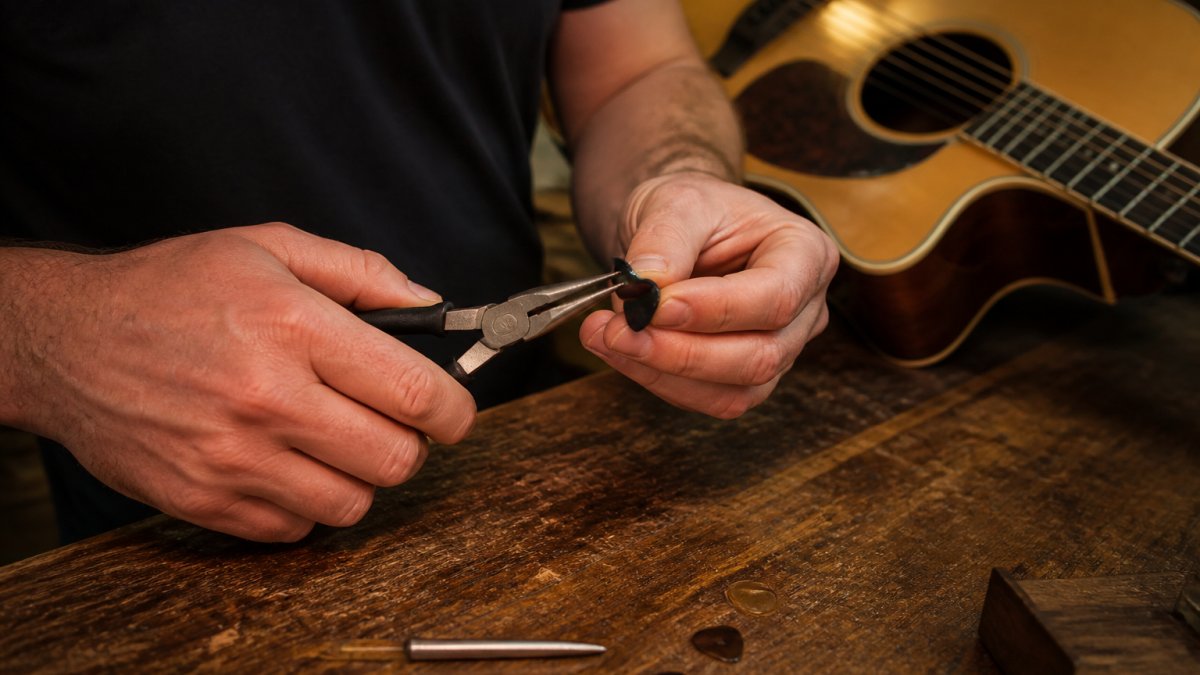
Close-up of a guitarist's right hand holding a conventional plastic thumb pick and small needle-nose pliers over a workbench with a guitar resting nearby, warm practice-room lighting
Step 1: Measure Your Thumb and Check the Band Fit
Start with fit, not force. A thumb pick should sit at the base of the thumb, just above the thumb joint, with enough grip to stay put but no pinching.
- Slide the band on and let it settle naturally.
- Check for red marks or throbbing after one minute.
- Test a gentle shake: the pick should hold without squeezing.
If the band slides off, it's too loose. If your thumb tingles, it's too tight. Fit is the foundation of every other adjustment.
Step 2: Identify Your Pick Material Before You Bend Anything
Before you touch pliers, know what the band is made of. If your pick uses a strap rather than a rigid band, you may not need to bend at all. Tighten or loosen the strap in small increments and re-test.
Step 3: Reshape the Band Safely With Needle-Nose Pliers
Small bends, done slowly, are the safe way to reshape a band. Grip the band with needle-nose pliers and apply gentle pressure, then test the fit again.
- Bend in small increments, never in one big squeeze.
- Support the band with your fingers so it doesn't kink.
- Re-test the fit after every adjustment.
Step 4: Set Pick Angle and Blade Position
The blade should meet the strings at a slight angle, not flat and not hooked. Aim for a blade that sits roughly parallel to the string line when your hand is relaxed.
- Rotate the pick on your thumb until the blade points toward the strings.
- Check that the tip clears the strings without catching.
- Adjust the blade so it strikes with a smooth, even contact.
Angle changes tone and control more than most players expect. A well-set angle gives you a cleaner attack and less pick noise.
Step 5: Smooth Edges and Pressure Points
If the band edge digs into your thumb, a small file or fine sandpaper can round it without weakening the band. Work slowly and keep the edge contour even. A sharp edge is a comfort problem you can fix in a minute, but an over-filed band is a replacement.
Step 6: Verify With the Comfort and Performance Test
Once fit, material, angle, and edges are set, run the repeatable test in the next section. Adjust one variable at a time so you can tell which change helped. Players who switch between fingerstyle and flat-picking often find that an adjustable strap system lets them tune fit for each technique without reshaping the band at all, which is the design logic behind our Crossover models.
Thumb Pick Slipping Solutions That Actually Hold
Slipping is the number one complaint about thumb picks, and it usually comes down to fit or surface grip.
Buy Now at our secure ETSY SHOP music store →
- Fix the fit first. A band that's too loose slides; one that's too tight pushes your thumb out.
- Clean the band and your thumb. Oils and dust reduce grip.
- Try a textured or adjustable strap. An adjustable thumb strap system lets you tighten the band without reshaping it.
- Check your thumb position. A thumb that sits too far forward loses contact with the band.
For players who switch techniques mid-song, a secure, adjustable band matters more than a fixed one. That's the design logic behind our Crossover models.
Thumb Pick Versus Flat Pick: What Each One Does to Your Right Hand
A thumb pick and a flat pick ask different things of your right hand. A flat pick is held between thumb and index finger, so the motion comes from the wrist and forearm. A thumb pick wraps the thumb, freeing all of the fingers for fingerstyle work.
Feature | Thumb Pick | Flat Pick |
|---|---|---|
Grip | Wraps the thumb | Pinched between thumb and finger |
Fingers free for fingerstyle | Yes | limited |
Bass control | Strong, thumb-driven | Depends on wrist angle |
Switching techniques | Easy with an adjustable band | Requires putting the pick down |
Best for | Mixed fingerstyle and picking | Straight strumming and lead lines |
The trade-off is real. A flat pick gives some players more raw attack. A thumb pick gives you the freedom to combine bass lines and melody in one hand position. Note that there is an advanced right hand technique called hybrid picking. Hybrid pickers use the middle, ring and even the little finger along with the flat pick.
Fingerstyle Guitar With a Thumb Pick: Combining Both Hands' Work
Fingerstyle guitar with a thumb pick is where the customization pays off. The thumb handles the bass line while the fingers pick melody and rhythm. That split demands a pick that stays put and a blade that strikes cleanly.
- Set the blade angle so the thumb can alternate bass notes smoothly.
- Keep the band snug so the pick doesn't rotate during rolls.
- Practice scales and alternating bass patterns slowly before adding speed.
This is the heart of what we call a Universal Picking Technique: one hand position that covers fingerstyle, flat-picking, harmonics, tapping and everything between. It takes practice, but the right fit gets you there faster.
Troubleshooting Discomfort, Pressure, and Circulation
Discomfort is a signal, not a rite of passage. If your thumb aches, tingles, or changes color, the fit is wrong.
- Throbbing or numbness: the band is too tight. Loosen it or size up.
- Red pressure marks: the band edge is digging in. Reshape or file the edge smooth.
- Fatigue after short play: the pick is fighting your hand. Recheck fit and angle.
- Cold or pale thumb: stop playing and adjust immediately.
Players with arthritis or smaller hands benefit most from adjustable fit. A strap system that adapts to your thumb shape beats a one-size band every time.
A Repeatable Comfort and Performance Test
Run this test after every adjustment so you can compare results fairly. It takes about five minutes and is built to do one job: tell you which variable to change next. Most players adjust fit, angle, and technique all at once and then can't tell what worked. This test isolates the variables.
The Five-Minute Test
- Wear test (2 minutes): Put the pick on and do nothing else. Note pressure, tingling, redness, or throbbing. Any of those means fit is wrong; stop and fix fit before playing.
- Slow scale test: Play a single-string scale slowly and listen for clean contact. Muted or catching notes point to blade angle or tip shape, not fit.
- Alternating bass test: Play a simple alternating bass pattern. If the pick rotates on your thumb, the band is too loose or the surface is slick.
- Technique-switch test: Move from fingerstyle to a flat-picking passage. If the transition feels clumsy, check whether the blade angle suits both techniques or whether an adjustable strap would let you tune fit per technique.
- Shake test: Shake your hand gently. The pick should hold without you squeezing.
- Ten-minute endurance test: Play for ten minutes and note fatigue, heat, or numbness. Fatigue after short play usually means the pick is fighting your hand.
Diagnosing a Failure
When a test fails, change one variable and re-run only the failed test. Use this map:
- Pressure, tingling, or numbness → fit. Loosen the band, size up, or adjust the strap.
- Red marks at the band edge → edge shape. File or reshape the edge, then re-test.
- Pick rotates during bass patterns → grip. Clean the band and thumb, tighten the strap, or check thumb position.
- Muted or catching notes → blade angle or tip shape. Rotate the pick slightly and re-test.
- Fatigue after short play → overall fit and angle. Recheck both, and consider whether a flexible, adjustable strap system suits your hand better than a rigid band.
Players with arthritis, limited dexterity, or sensitive skin should weight the wear test and endurance test most heavily, and favor adjustable strap systems over rigid bands. A strap that adapts to your thumb shape beats a one-size band every time, and it lets you loosen fit for long sessions without giving up security during fast passages.
Frequently Asked Questions
How should a thumb pick fit?
A thumb pick should sit snug enough that it does not rotate when you strum, but loose enough that you can slide it off without tugging. The band should rest around the base of the thumb, just past the thumb joint, not pinched onto the middle phalanx. If the band leaves a deep red mark after ten minutes of playing, it is too tight. If it spins when you alternate bass notes, it is too loose. Adjustable strap systems let you find that middle point without reshaping plastic.
Can you adjust a thumb pick that feels too tight?
Adjustable thumb picks with a strap system skip this step entirely, since you loosen or tighten the strap instead of reshaping the material.
How do you keep a thumb pick from slipping during a set?
Start with fit: a band that matches your thumb shape will not rotate. Keep your thumb and the inside of the band dry, since sweat is the main cause of slipping mid-song. Set the blade so it crosses the string at a slight angle rather than flat, which reduces the sideways force that twists the pick. If slipping continues, check whether the band has stretched with use. Adjustable strap models let you retighten as the strap relaxes, which is harder to do with a fixed plastic band.
What is the difference between a thumb pick and a flat pick?
A flat pick is held between the thumb and index finger, so your other fingers are free but the pick has to be gripped constantly. A thumb pick wraps around the thumb, leaving the index finger free to join the other fingers for fingerstyle work. That is the practical difference: a flat pick favors strumming and single-line picking, while a thumb pick lets you play bass notes with the thumb and melody or chords with the fingers at the same time. Crossover thumb picks are built to let players move between both approaches without swapping tools.